> ## Documentation Index
> Fetch the complete documentation index at: https://docs.usetool.bar/llms.txt
> Use this file to discover all available pages before exploring further.
# Replay Feature
> Replay captures an event timeline behind each screenshot so teams can reproduce flows and give developers richer context. It records a privacy‑aware HTML snapshot of the DOM in the background, stored locally with strict security, and only leaves your machine when you choose to share a replay link.
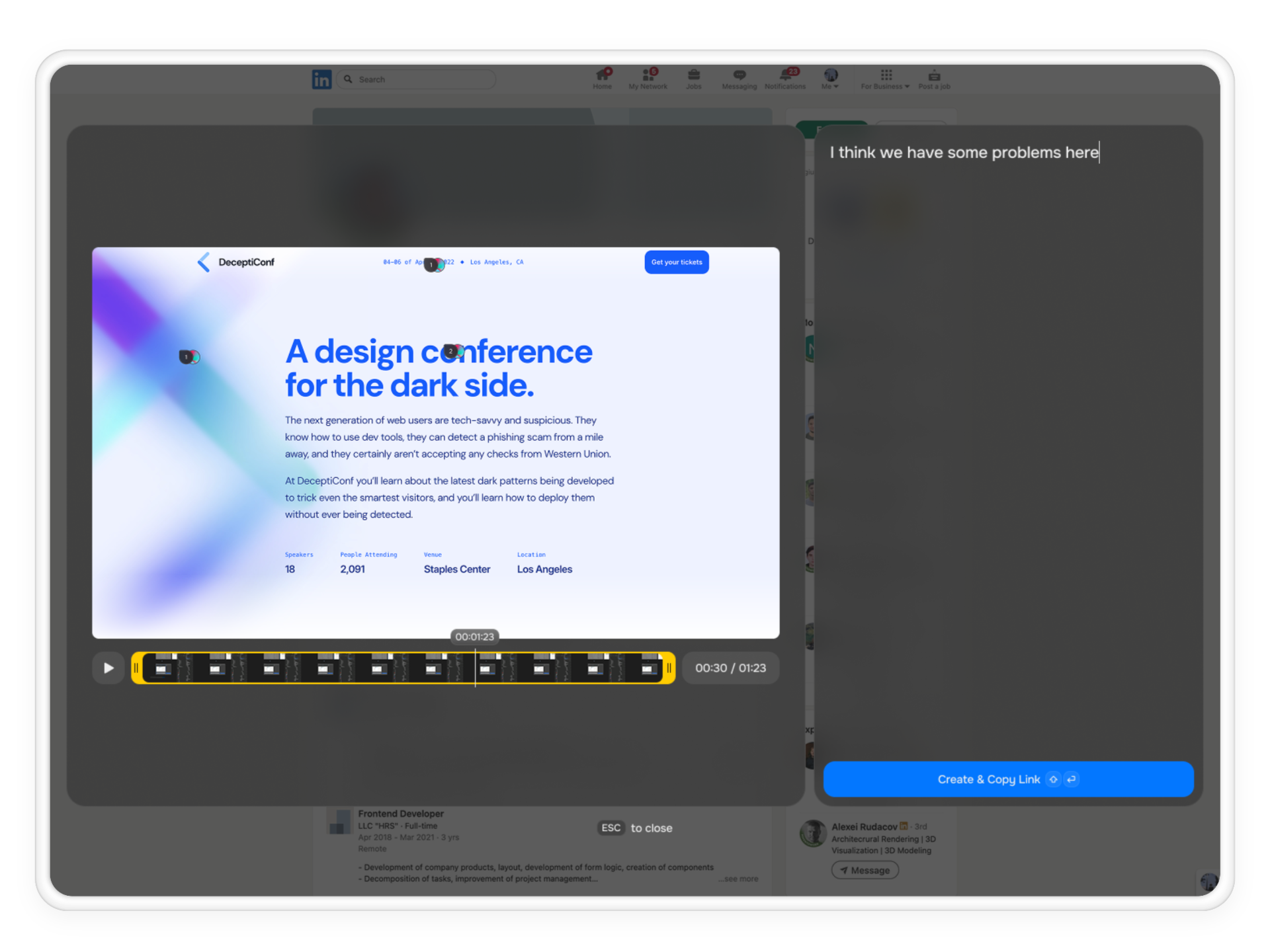 ### How Replay Works (User Flow)
You notice an issue during normal use.
Press the Replay button to open the Replay window.
Use start/end handles to select the exact segment, remove noisy steps, and choose overlays (console/network).
Preview the playback, confirm targeted elements, and add optional annotations.
Generate a one‑link replay and push to your task manager.
### What Replay Does
* **Event Timeline**\
See the exact sequence of user actions (clicks, navigations, inputs) and UI state changes around the incident.
* **DOM HTML Recording (Background)**\
Lightweight, privacy‑aware HTML snapshots of the DOM captured in the background to reconstruct the page state without live access.
* **One‑Link Playback**\
Share a single link that plays back the timeline with technical signals (console, network, environment) aligned to each moment.
* **Developer Context**\
Pair the playback with device/OS, browser/version, viewport, console logs, and network summaries so the fix is clear.
### Privacy & Security
* **Local‑First Storage**\
The HTML recording, timeline, and technical context are stored on the user’s computer by default and do not leave the device until a replay link is explicitly shared.
* **Data Minimization**\
The recording prioritizes structure and state (DOM) over sensitive payloads. Credentials, cookies, and request/response bodies are not captured by default.
* **Secure Transport & Access**\
When shared, replay data is transmitted over encrypted channels and scoped to the recipient workspace with role‑based access.
### FAQs
* **Reproduce flows**\
Developers can play back the exact steps and UI transitions without guesswork.
* **Faster triage**\
Align console errors and network events to the precise moment they happened.
* **Single source of truth**\
A one‑link replay replaces scattered screenshots and threads.
Replay maintains privacy‑aware DOM snapshots locally and only leaves your device when you share a replay link.
By default, credentials, cookies, and request/response bodies are excluded. Only what is needed for development is included.
### How Replay Works (User Flow)
You notice an issue during normal use.
Press the Replay button to open the Replay window.
Use start/end handles to select the exact segment, remove noisy steps, and choose overlays (console/network).
Preview the playback, confirm targeted elements, and add optional annotations.
Generate a one‑link replay and push to your task manager.
### What Replay Does
* **Event Timeline**\
See the exact sequence of user actions (clicks, navigations, inputs) and UI state changes around the incident.
* **DOM HTML Recording (Background)**\
Lightweight, privacy‑aware HTML snapshots of the DOM captured in the background to reconstruct the page state without live access.
* **One‑Link Playback**\
Share a single link that plays back the timeline with technical signals (console, network, environment) aligned to each moment.
* **Developer Context**\
Pair the playback with device/OS, browser/version, viewport, console logs, and network summaries so the fix is clear.
### Privacy & Security
* **Local‑First Storage**\
The HTML recording, timeline, and technical context are stored on the user’s computer by default and do not leave the device until a replay link is explicitly shared.
* **Data Minimization**\
The recording prioritizes structure and state (DOM) over sensitive payloads. Credentials, cookies, and request/response bodies are not captured by default.
* **Secure Transport & Access**\
When shared, replay data is transmitted over encrypted channels and scoped to the recipient workspace with role‑based access.
### FAQs
* **Reproduce flows**\
Developers can play back the exact steps and UI transitions without guesswork.
* **Faster triage**\
Align console errors and network events to the precise moment they happened.
* **Single source of truth**\
A one‑link replay replaces scattered screenshots and threads.
Replay maintains privacy‑aware DOM snapshots locally and only leaves your device when you share a replay link.
By default, credentials, cookies, and request/response bodies are excluded. Only what is needed for development is included.